Engine Subscription
The Source and Target Engines that do the transformation work in the migration pipeline are published and deployed based on the mapping done in Studio.
This is described in: Publishing Maps and Deploying Engines.
Engine Subscription controls how Tracks adopt new versions of Source and Target Engines, allowing you to manage change independently across your migration pipelines.
In practice, this means that different Tracks can run different revisions of the same engine at the same time. Some moving forward automatically, others remaining on a known, stable revision until you decide otherwise.
Managing Engines and Revisions
The Portal Configuration → Operations → Execution → Engines is where you manage the engines known by the Runtime.
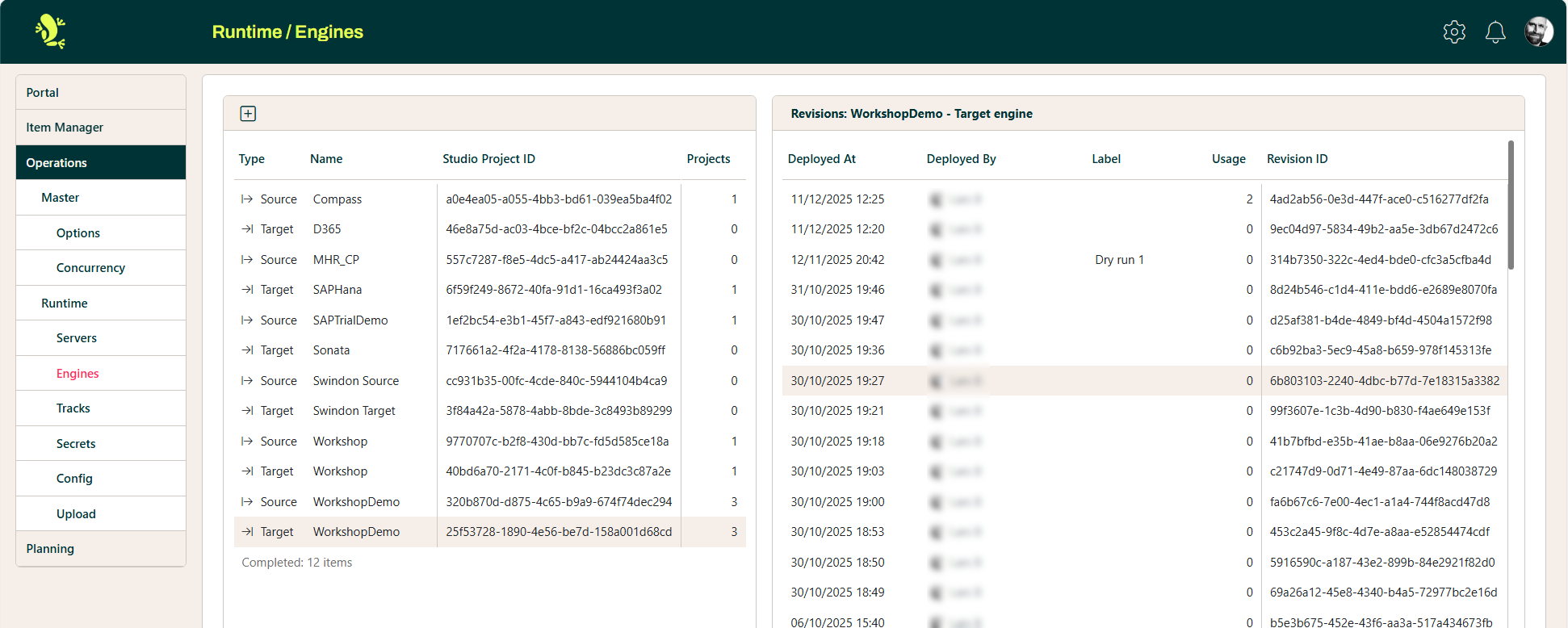
In the screenshot above, the WorkshopDemo TargetEngine is selected in the list to the left. The list to the right shows the stack of Revisions for this engine.
Every time an engine is deployed, the Runtime receives a new revision and adds it to the top of the stack of revisions for that engine.
You can read more about how to add a new engine to the list on the left here: Portal Operations
Engine Revisions
Let's say we have an engine; it can be a Source Engine or a Target Engine. Let's call it Engine X.
The Runtime already has 5 revisions stacked for Engine X.
We also have three different tracks that use Engine X: Track A, Track B, and Track C.
The diagram below shows what could happen when a new revision 6 is deployed for Engine X:
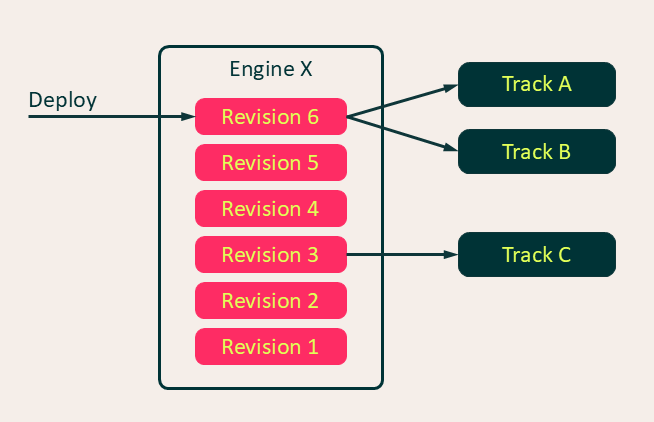
The diagram shows that Track A and Track B immediately load the new revision 6, while Track C ignores it and keeps using revision 3.
This is possible because the Runtime allows you to control when a track actually loads a new revision of an engine.
This is done in 2 different ways:
- Auto-subscription
- If a track is auto-subscribing to an engine, it will automatically load each new revision the moment it is deployed
- Manual subscription
- If the track is not auto-subscribed, you decide - after the engine is deployed - whether the track should load this revision or not
Some typical use cases for manual subscription include
- a track must remain on a stable, tested engine revision while newer revisions are validated in other tracks.
- a development team has divided work on different areas of the mapping into parallel work streams on dedicated tracks. Each work stream is manually managing when their track loads the engine without disrupting the tracks un use by other work streams
Engine Usage for a Track
In the Operations menu for a given track, the Engines panel shows how that track reacts when new engine revisions are deployed and which revision is currently in use.
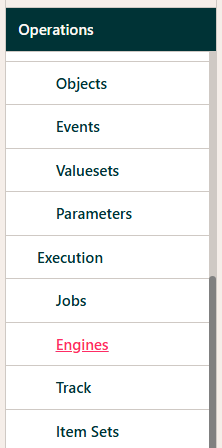
This is specified separately for the Source Engine and the Target Engine used by the track.
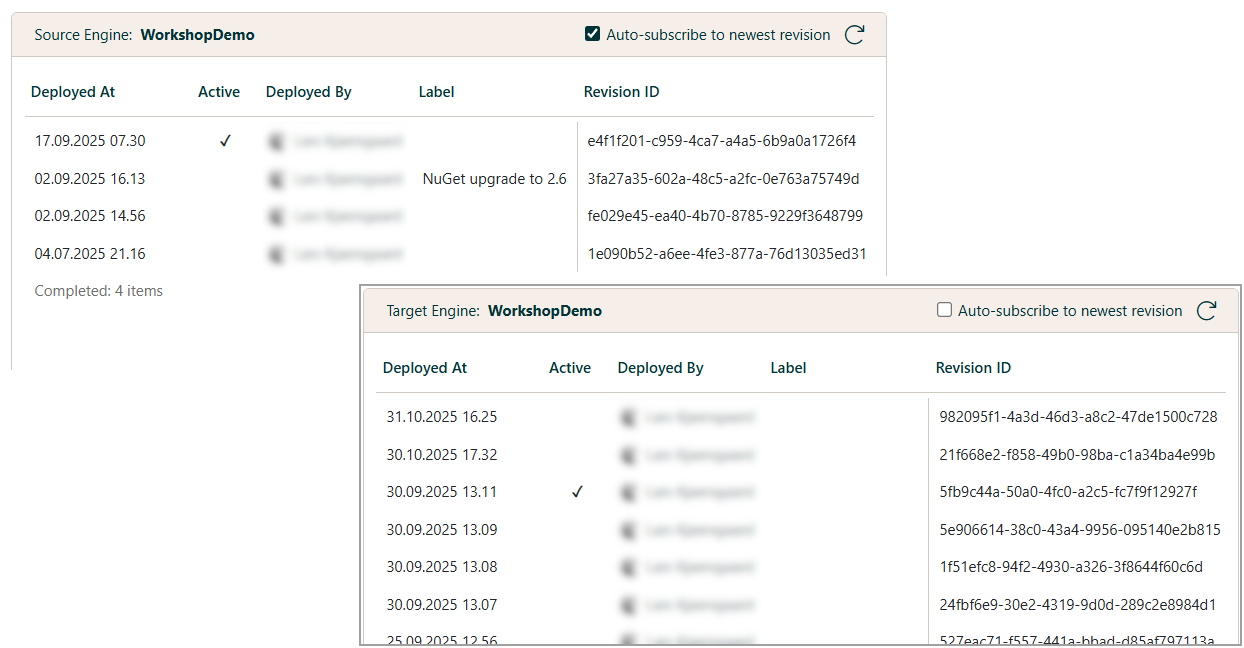
In the screenshot above, the track is auto-subscribed to new revisions of the Source Engine and is currently running the newest revision of the Source Engine.
It is not auto-subscribed to the Target Engine, and it is currently running an older revision of the Target Engine.
Auto-subscribe is switched on and off by checking or unchecking the checkbox Auto-subscribe to newest revision.

Any revision can be set active, downloaded, or given a label for identification from its context menu.
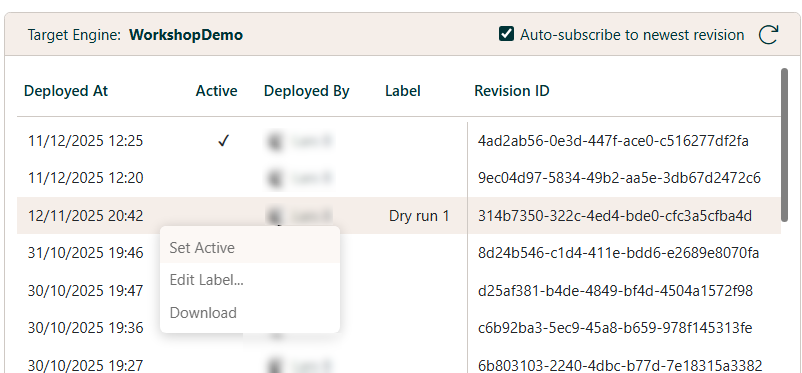
When a revision is set active, it is loaded by the track immediately.
Deployment
When an engine is deployed from Studio or Visual Studio, the Load checkbox for each track using
the engine determines which tracks will load the new revision.
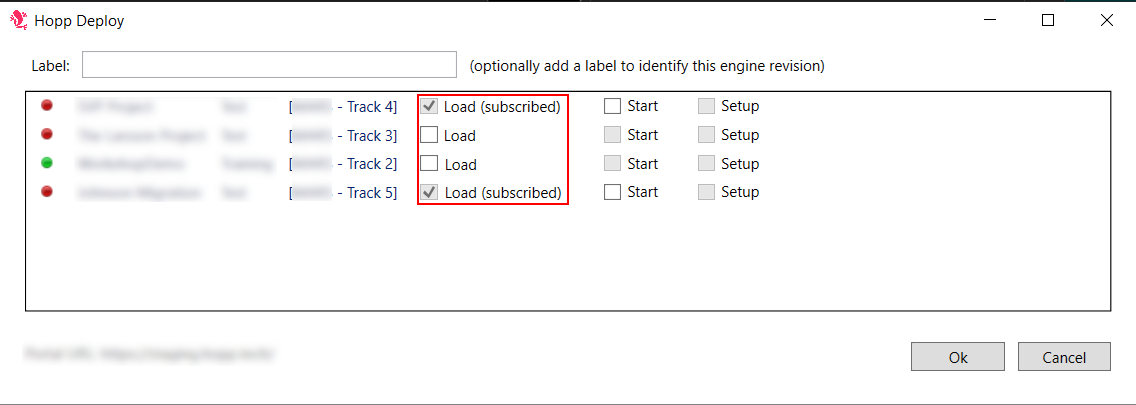
- If the Load checkbox is disabled and labeled (subscribed), the track is auto-subscribing to new revisions of this engine, and it will load the new revision immediately upon deployment.
- If not, checking the Load checkbox will make the track load the new revision.
- If the Load checkbox is not checked, the track will ignore the new revision.